Travelport TripServices API credentials are needed to run real-time requests with the DevKits. Contact your administrator or account manager for more information. Alternatively, you can sign up for trial credentials or contact our sales team.
The following information is based on the Flights DevKits.
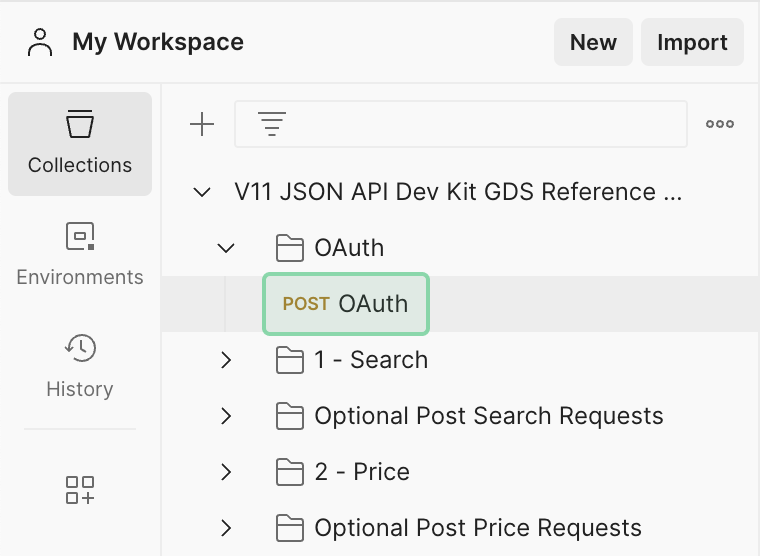
- Expand the dropdown for OAuth
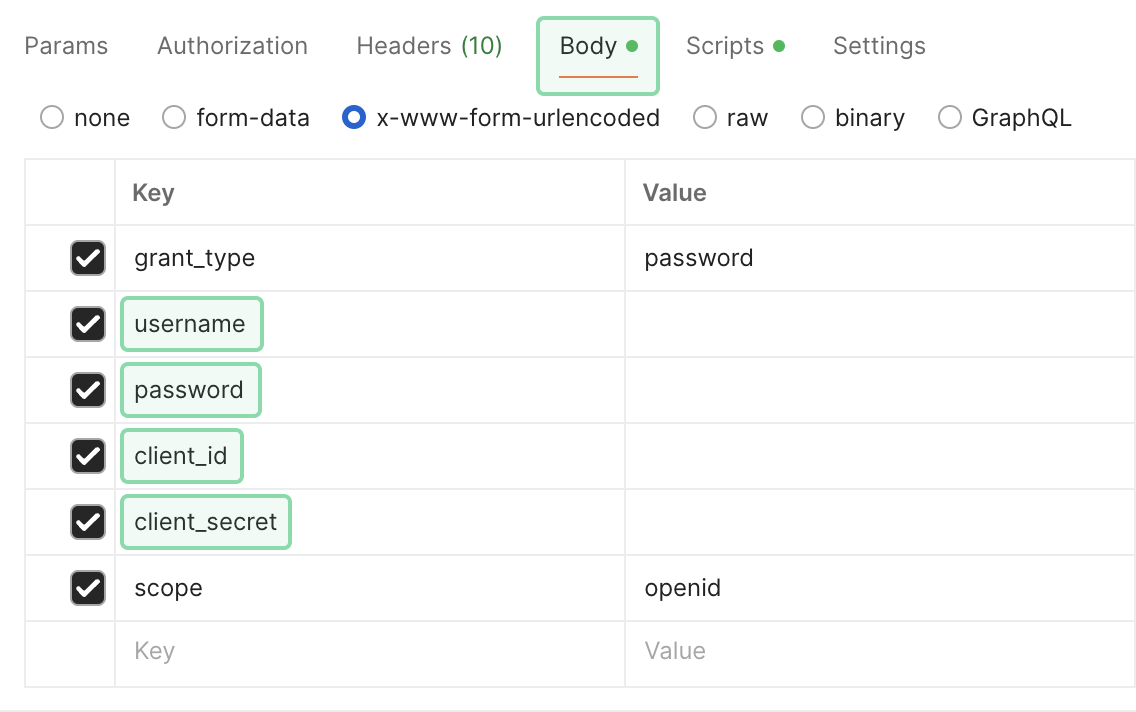
- Click on the Body tab and populate the following credentials:
username,password,client_id,client_secret.
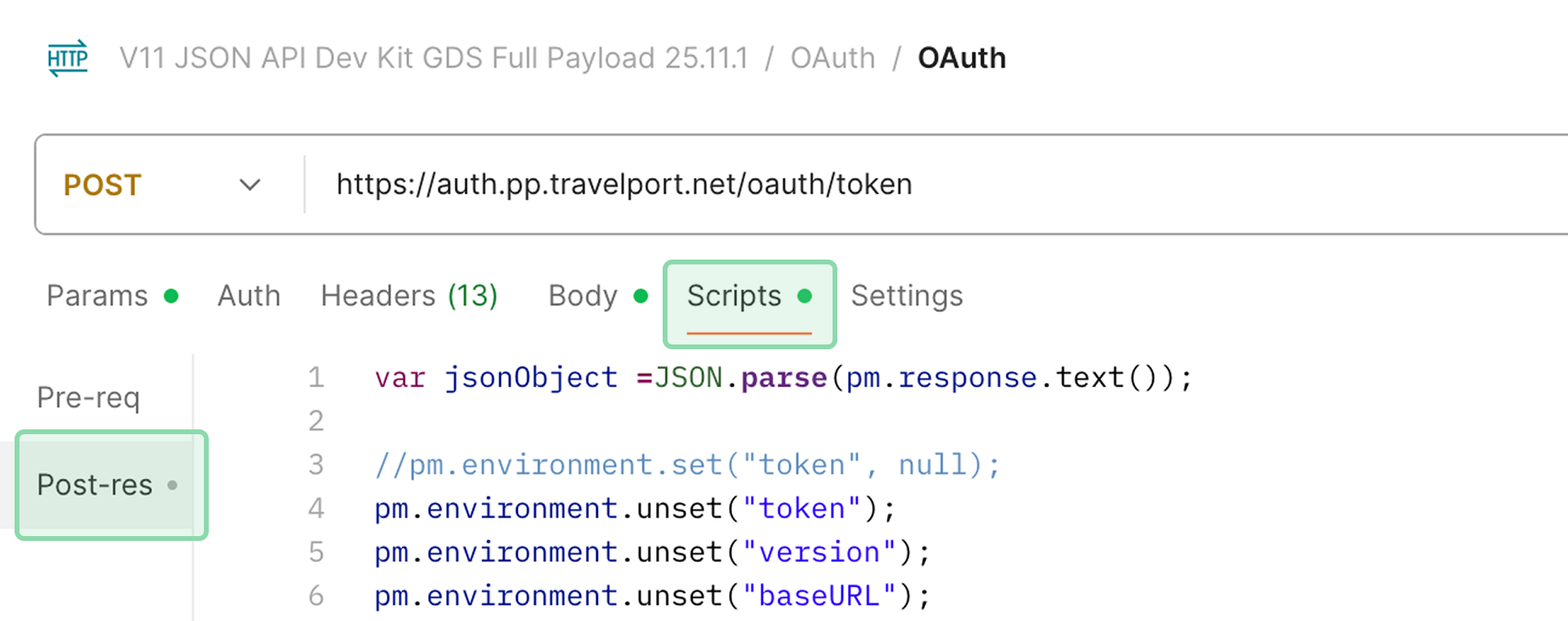
- Select the Scripts tab, then Post-res.
- Populate with
accessgroupinXAUTH_TRAVELPORT_ACCESSGROUP_1Gbetween double quotes.
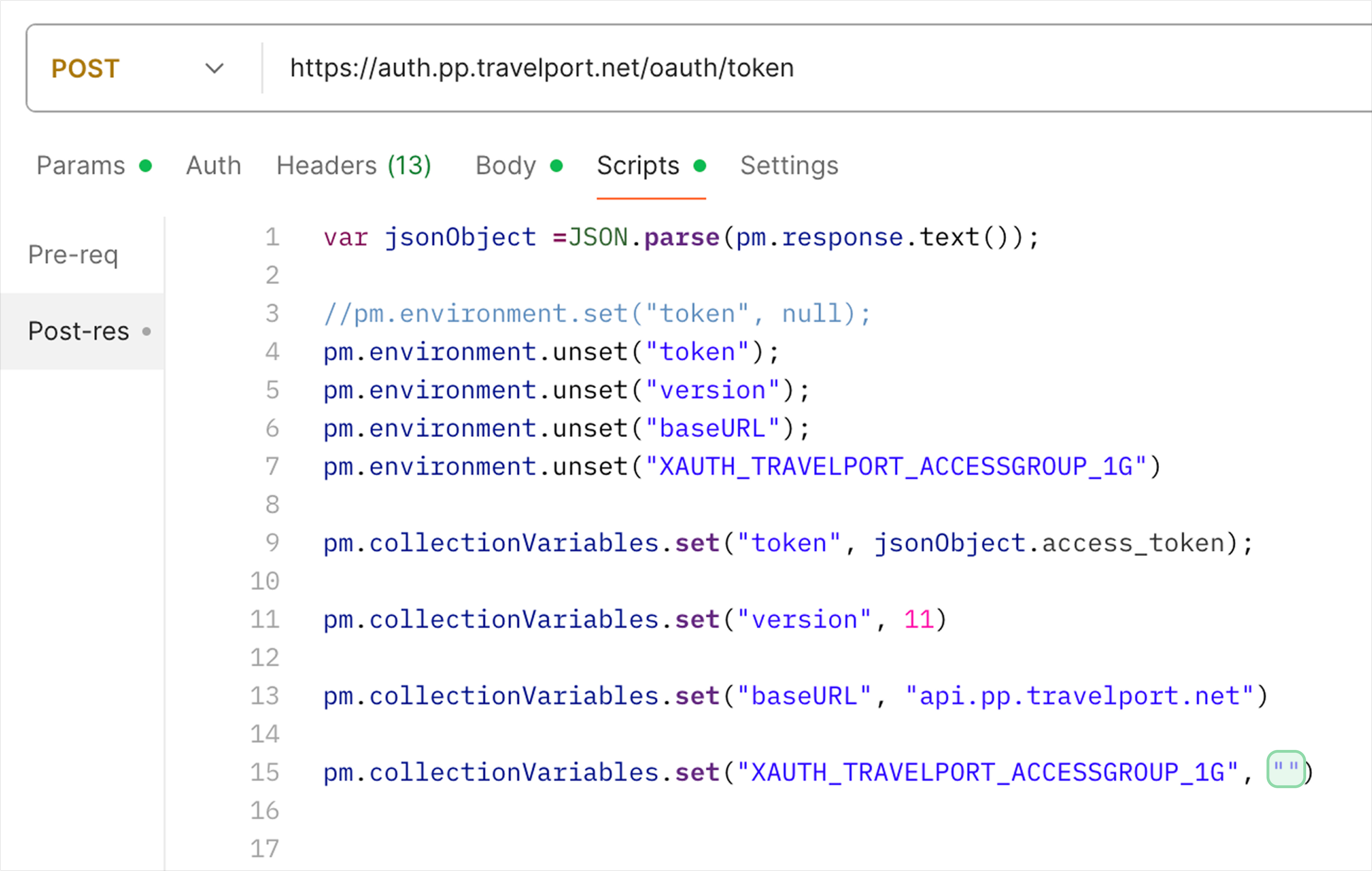
You must send your request to the correct version of the API you are using - check the version in the URL of the endpoint and in the OAuth scripts, and make sure it matches the version you are provisioned for.
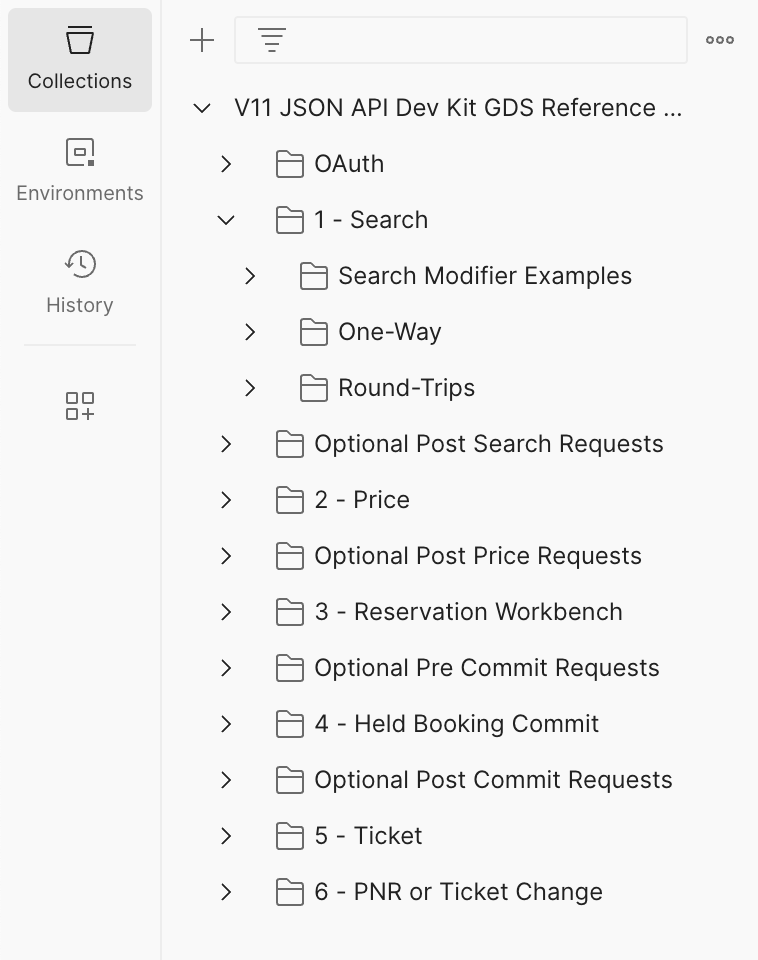
These Postman collections are organized through folders and sub-folders that linearly follow the workflow for a given set of API calls.
API requests with extensive options have multiple folders to showcase possible paths.
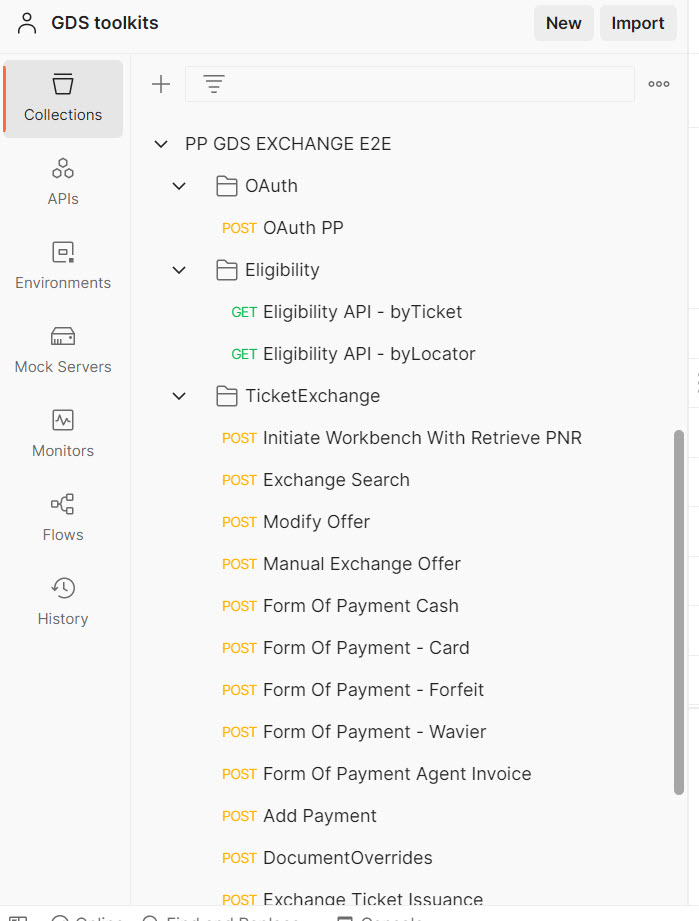
API collections without as many options have a flatter structure, as in this Exchange APIs collection.
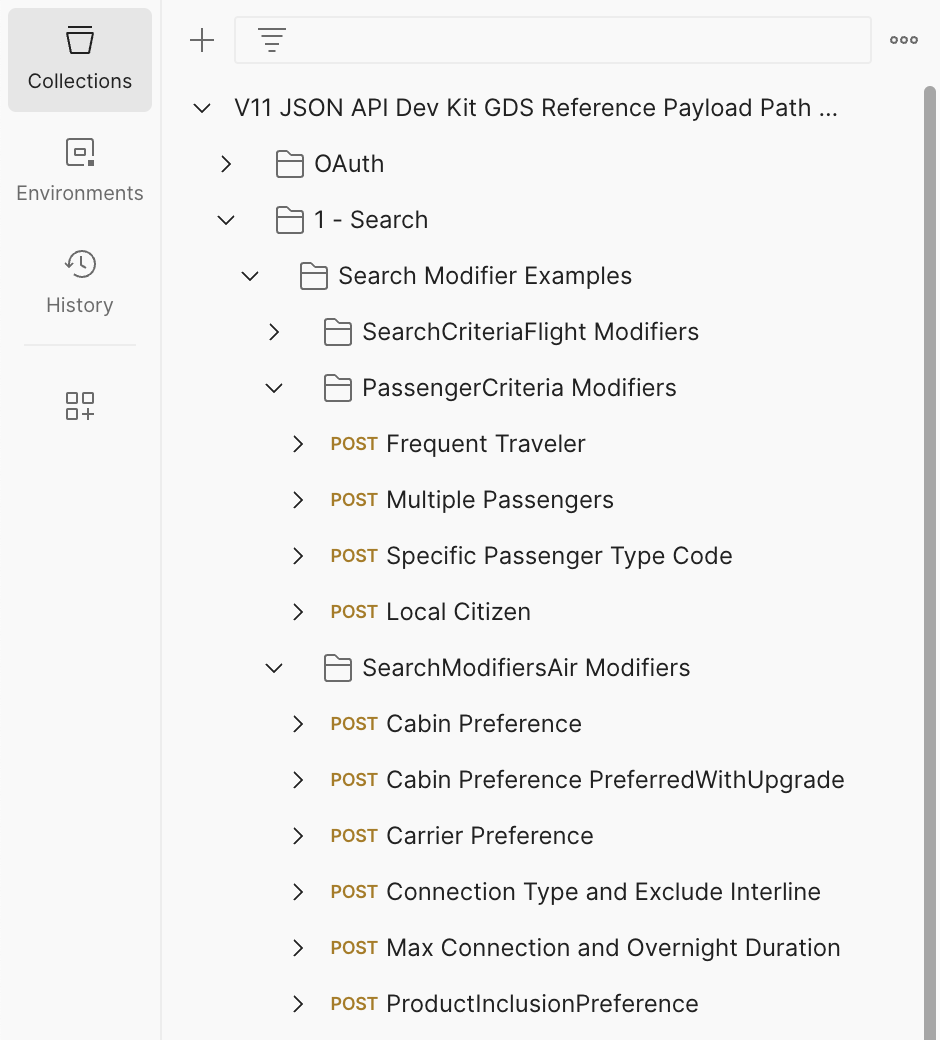
“Examples” folders, when present, will have various calls demonstrating the individual structure used for different modifiers.
Clicking on a POST, GET, or DEL option (HTTP methods) will open to request payloads that can be modified in the Headers and Body tabs.
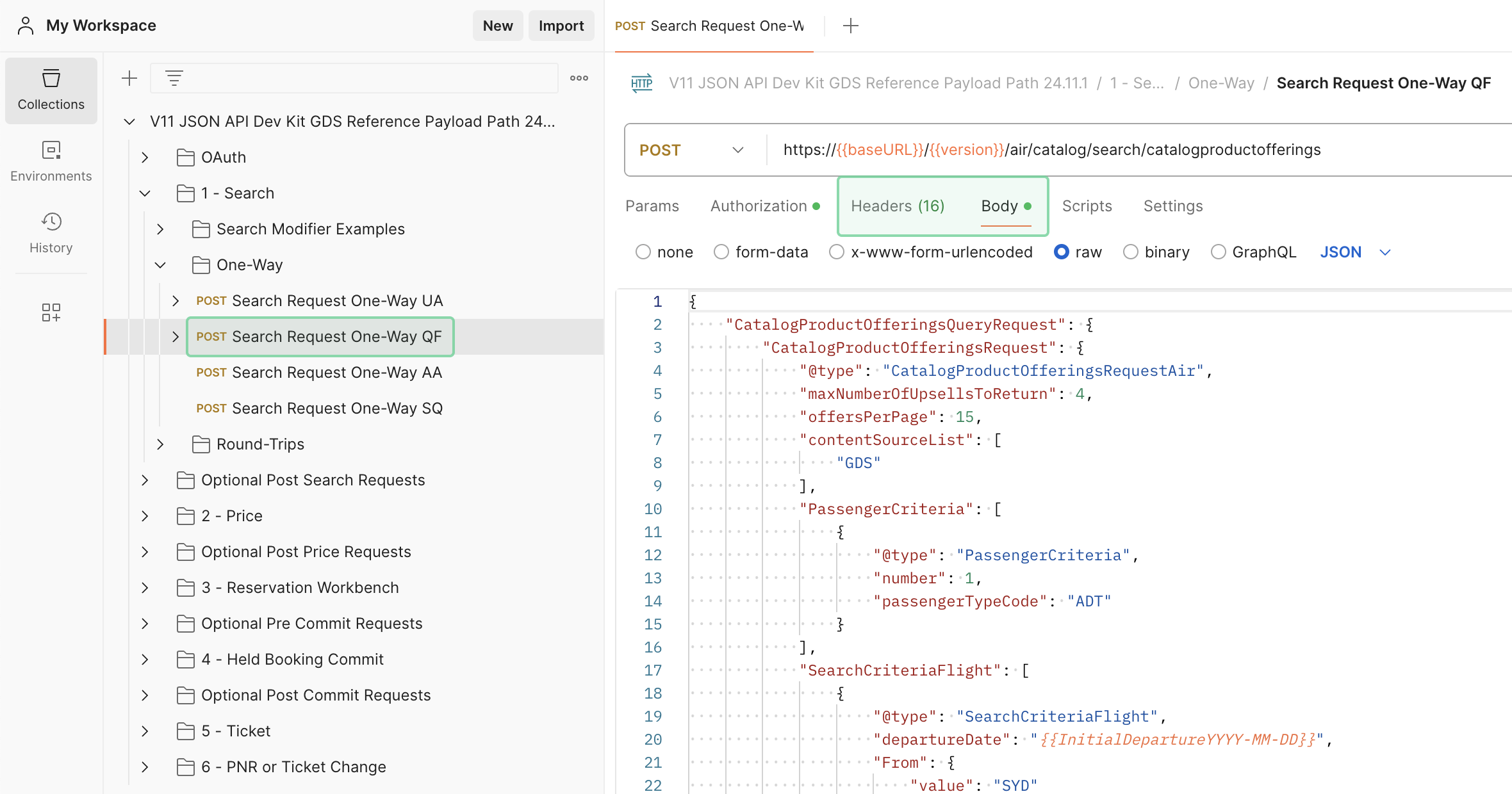
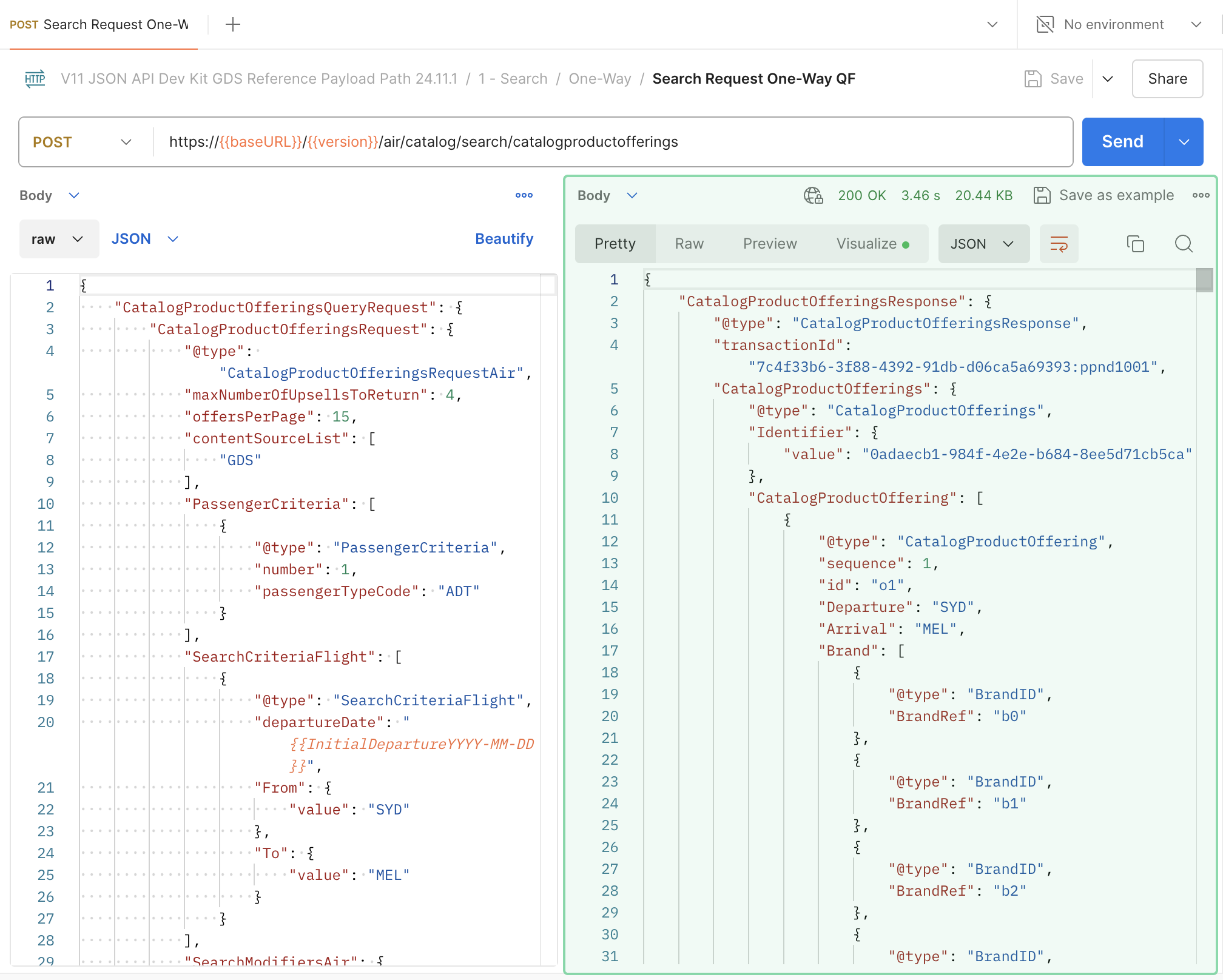
Clicking Send makes the API call.
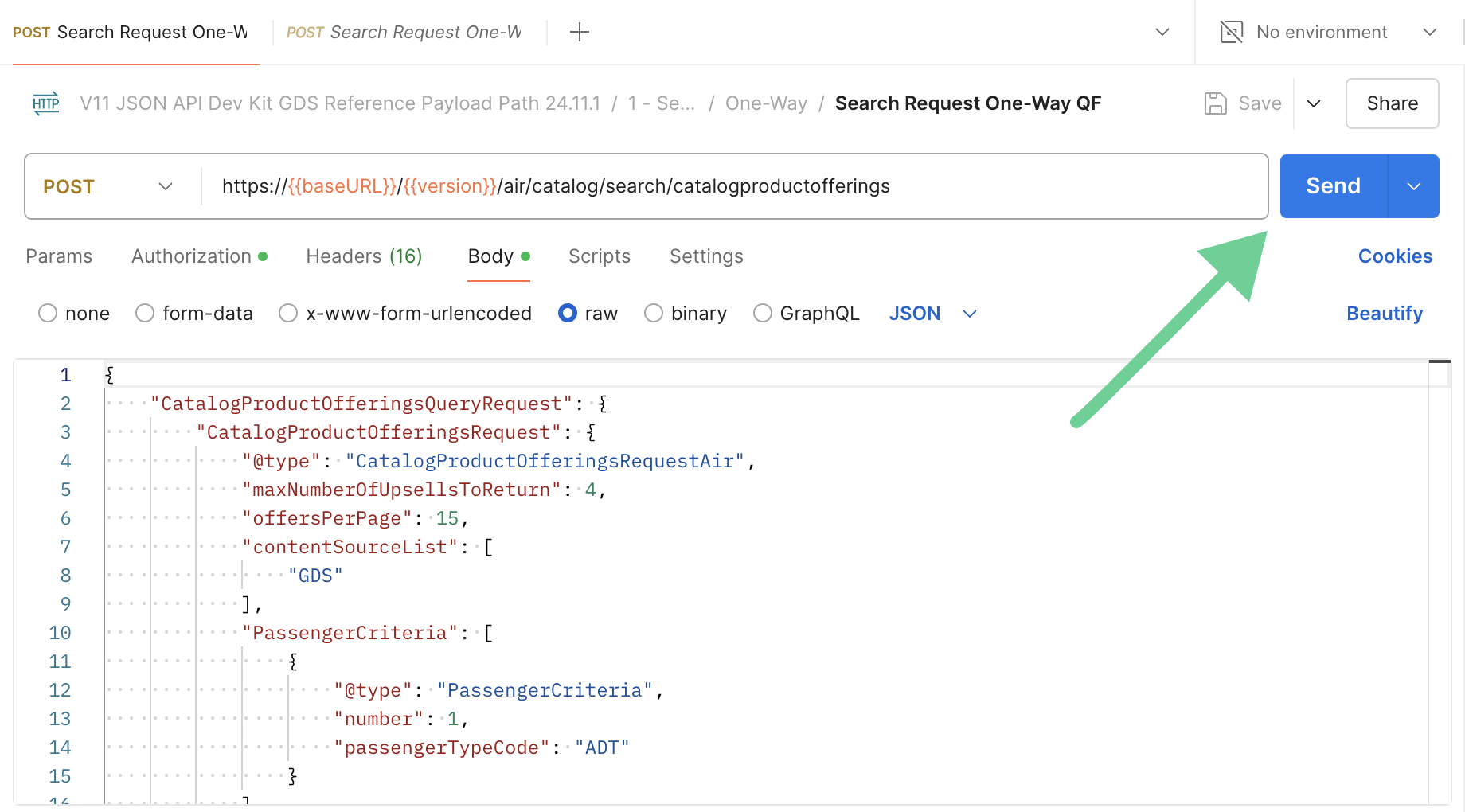
This calls live pre-prod responses from the API.
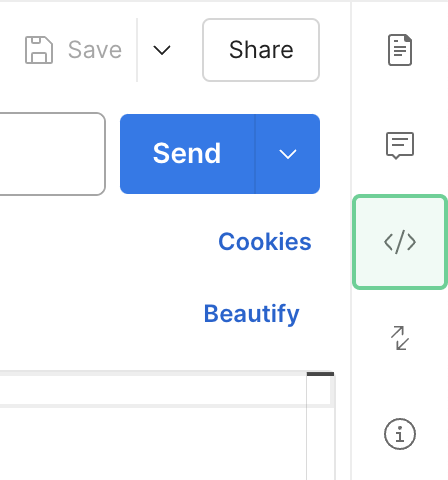
When running a request, the details of the JSON request can be found under “Code” (the </> icon on the right).
Scroll to the bottom of the Code panel to find the raw JSON of the request.
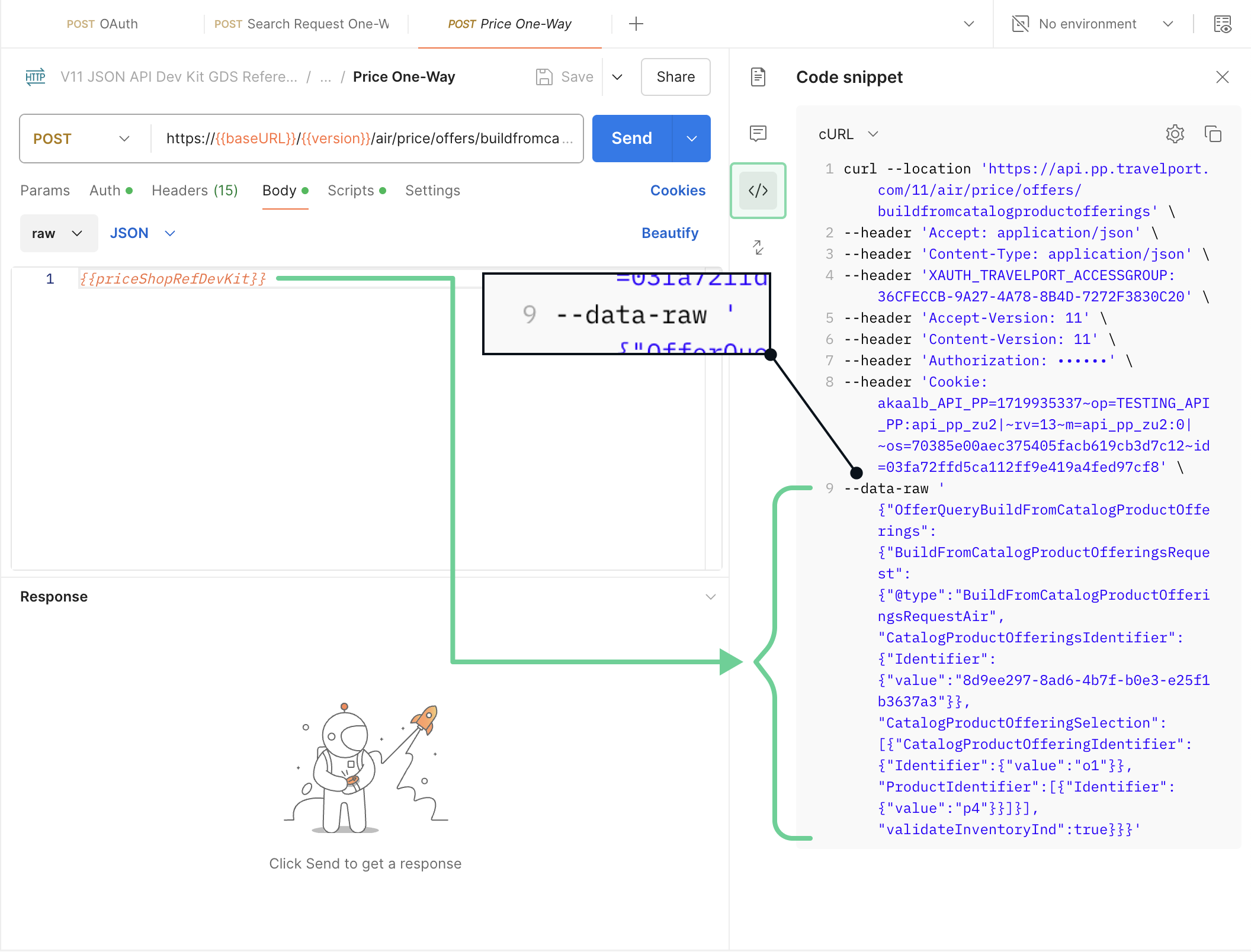
Opening the Code panel will also show what data a variable holds.
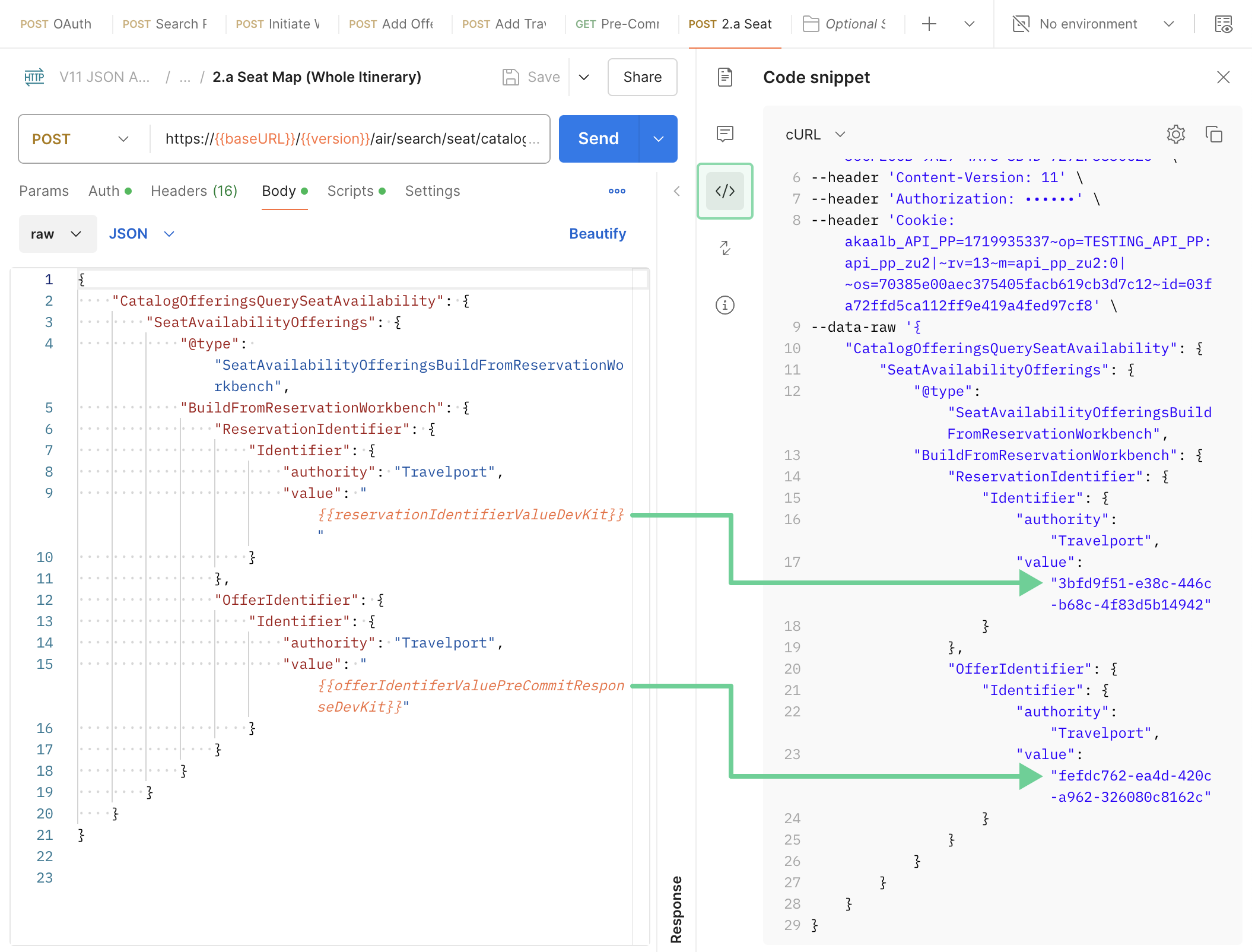
If the request body uses a variable that requires data from a previous API request that you haven't yet run, it remains a variable in the Code section until receiving the prerequisite data.
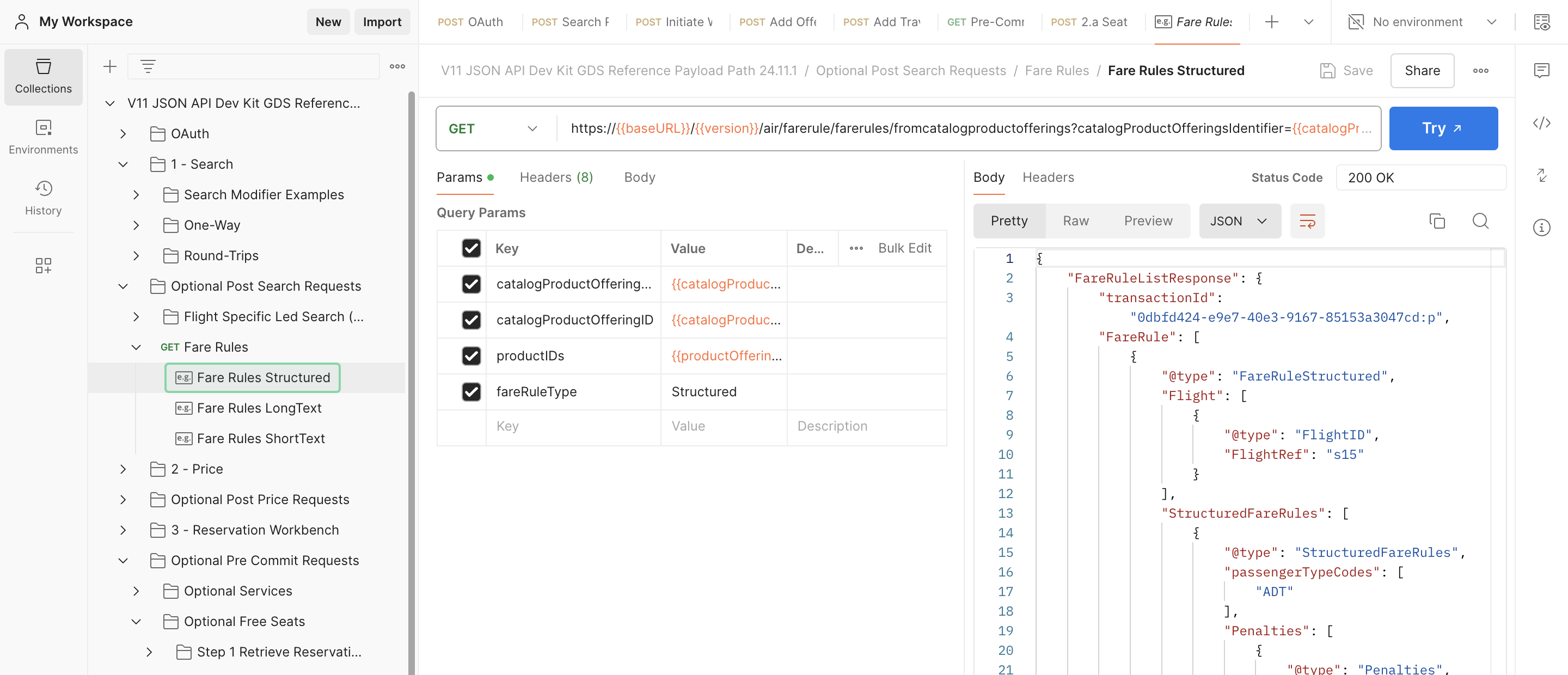
The Flights API Postman collections include saved example responses, which allow you to browse code without entering credentials. These are prefaced with an ‘e.g.’ instead of the normal HTTP methods.
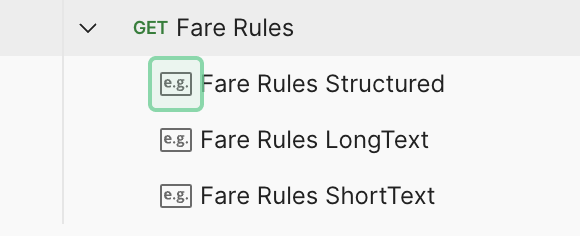
These examples have already been run, and include matching requests and responses for easy reference. Click on the Body tab to see the request.
The Try button also sends a live request, but please be aware that in these cases the variables may not be current.
Both Individual Examples and Specific flow sets will be named after the script they come from, while End to End examples will follow a separate convention.
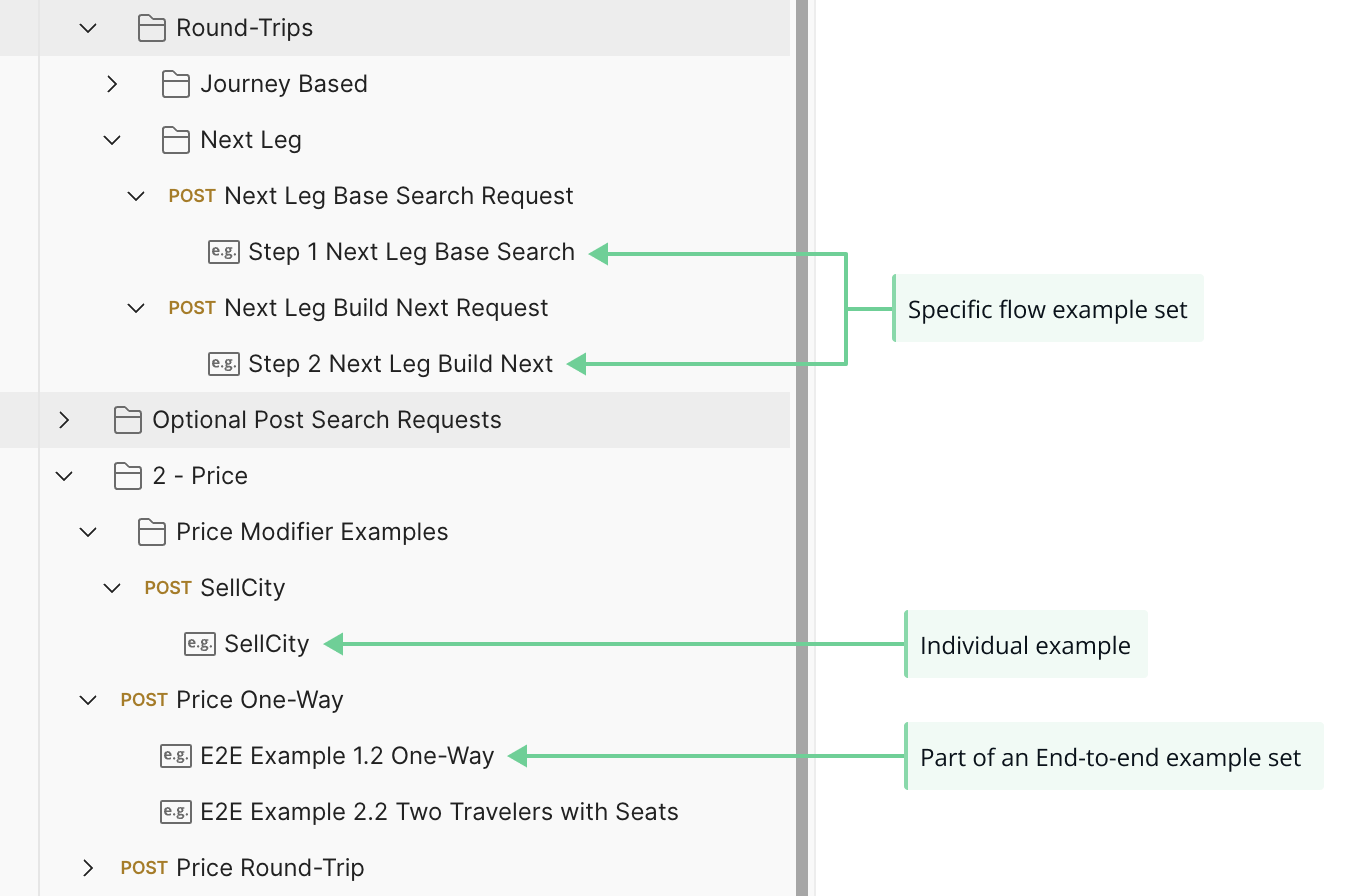
Like the examples described above, end-to-end examples are prefaced with ‘e.g.’, but they connect with other calls to run through a specific scenario. An E2E example demonstrates a full transaction - from search to ticket - with matching id values.
End to End examples employ the following naming convention:
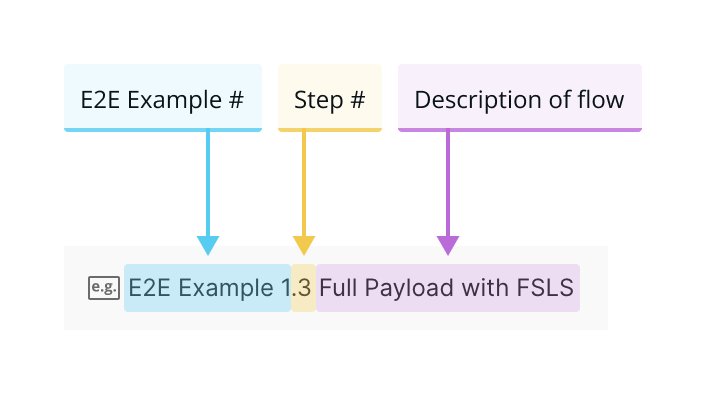
This is the first E2E example, step three, which walks through a Full Payload flow.
Outline of mandatory request headers to be sent with every request.
| Header | Context |
|---|---|
| Accept-Encoding | gzip, deflate (This is non-negotiable - there must be some type of compression in the headers. If this is not in place, a customer will NOT be allowed to send any production traffic) |
| Cache-Control | no-cache |
| Accept | application/json |
| Content-Type | application/json
|
| Authorization | Bearer token from the OAuth token generated |
| XAUTH_TRAVELPORT_ACCESSGROUP | Each PCC will be associated with a unique accessgroup |
| Accept-Version-Type | version number of the API |
| Content-Version | version number of the API |
More header information can be found on the Flights API Headers, Stays API Headers, and Pay API Headers pages.
| Header | Context |
|---|---|
| Date | returned in GMT |
| Content-Type | no-cache |
| e2etrackingid/transactionid | unique identifier returned for every transaction (A must-have item for troubleshooting issues) |
| Content-version | latest version number of the API |
| Vary | accept-encoding |
| Content-Encoding | gzip |
| Transfer-Encoding | chunked |
The OAuth token expires in 86,400 seconds which is equivalent to one day.
Certification passes if token is generated:
Every 24 hours the token should be generated
Certification fails if:
The token is generated with every request
Token usage:
Please note that a set of credentials for a customer is associated with a MCN (Master customer number). That MCN has a one-to-many relationships with accessgroups (PCC). Therefore, a token generated for that MCN will be valid across all accessgroups that fall under the MCN for that 24-hour period.
If you have multiple accessgroups then the same token must be used for that 24-hour period across all accessgroups that fall under that same MCN.
If you have multiple MCNs then the same rule applies where only one token per MCN shall be generated in a 24-hour period.
Ready to certify or add access? Take a look at our certification guide.